Jehan Alvani
  • Home
  • Photos
  • Archive
  • About
  • Cars
  • Lab Cluster Hardware

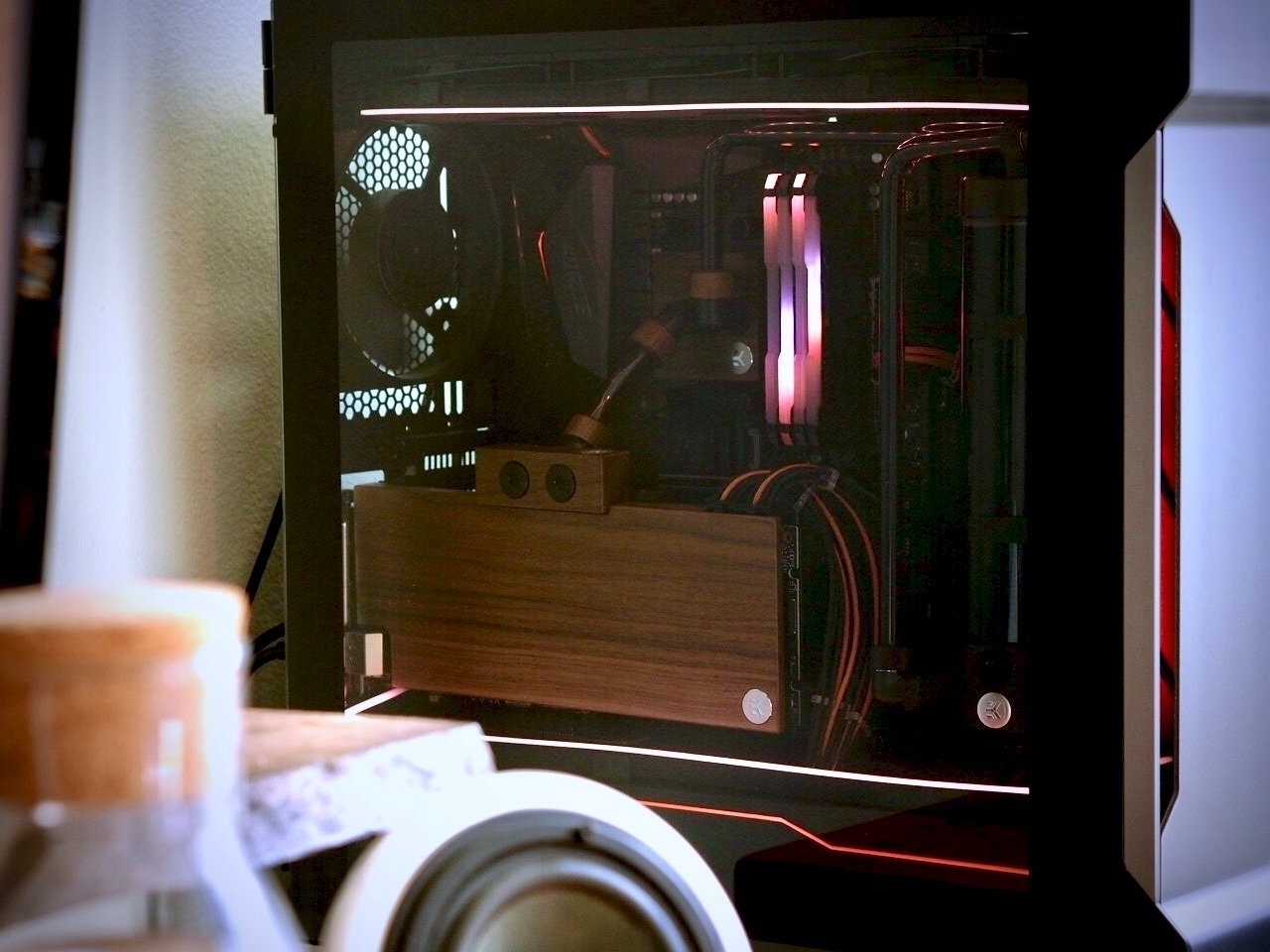
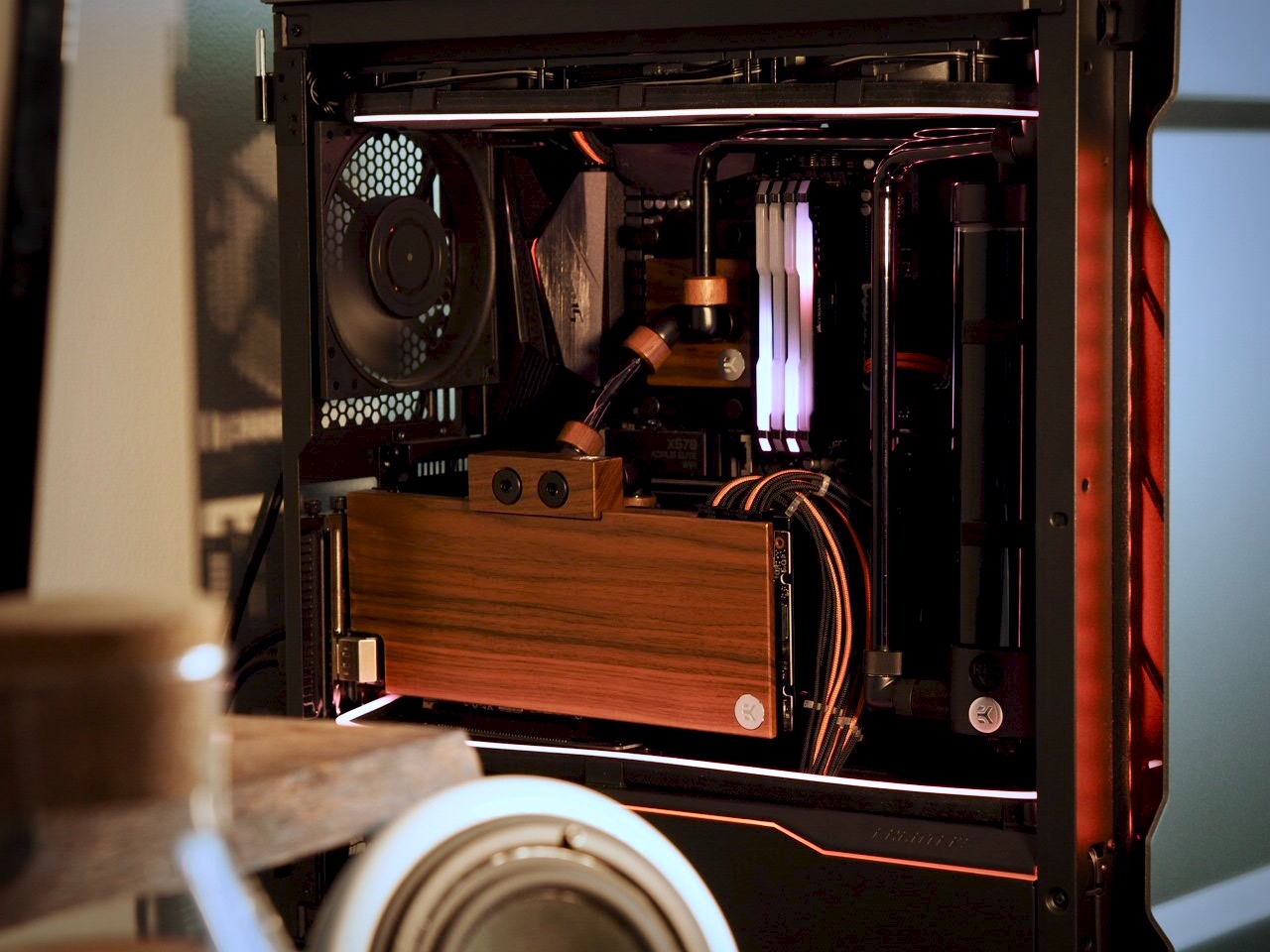
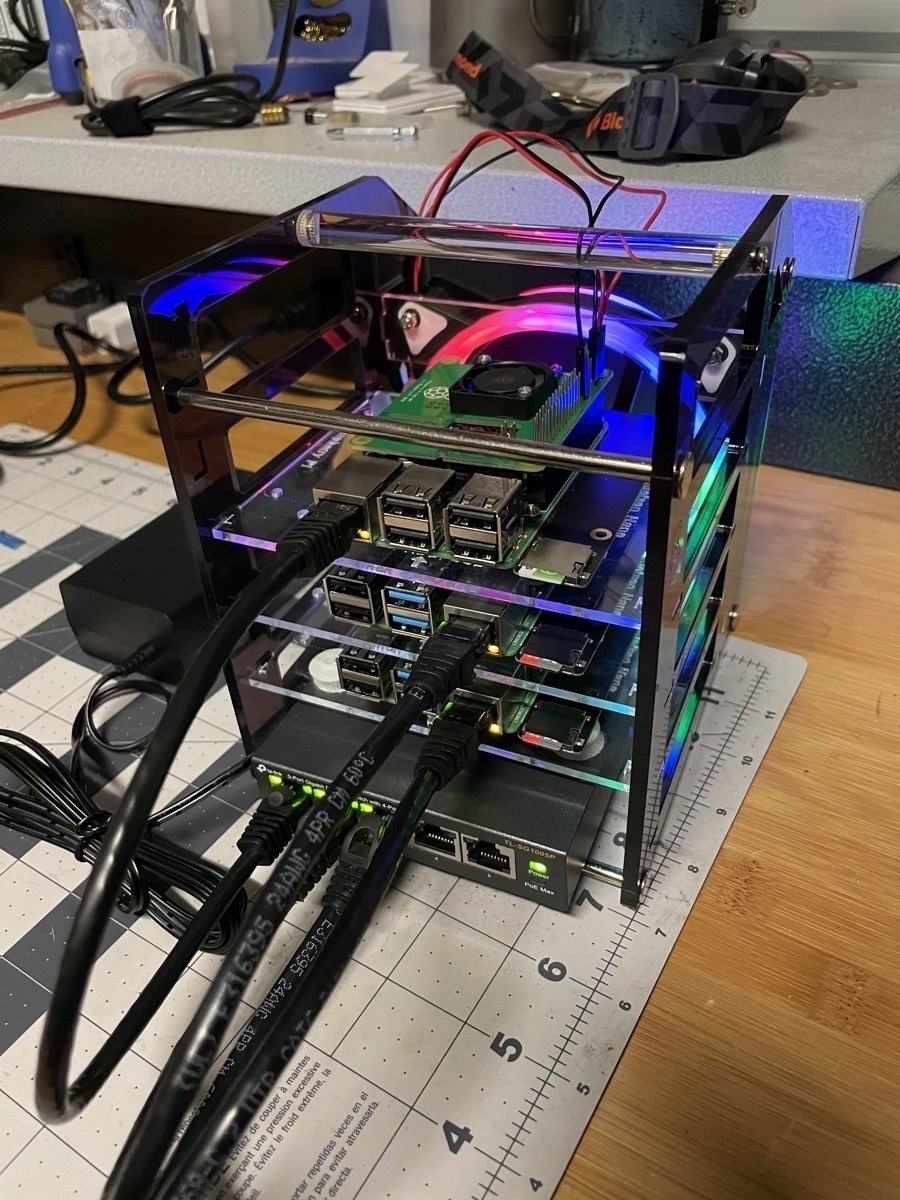
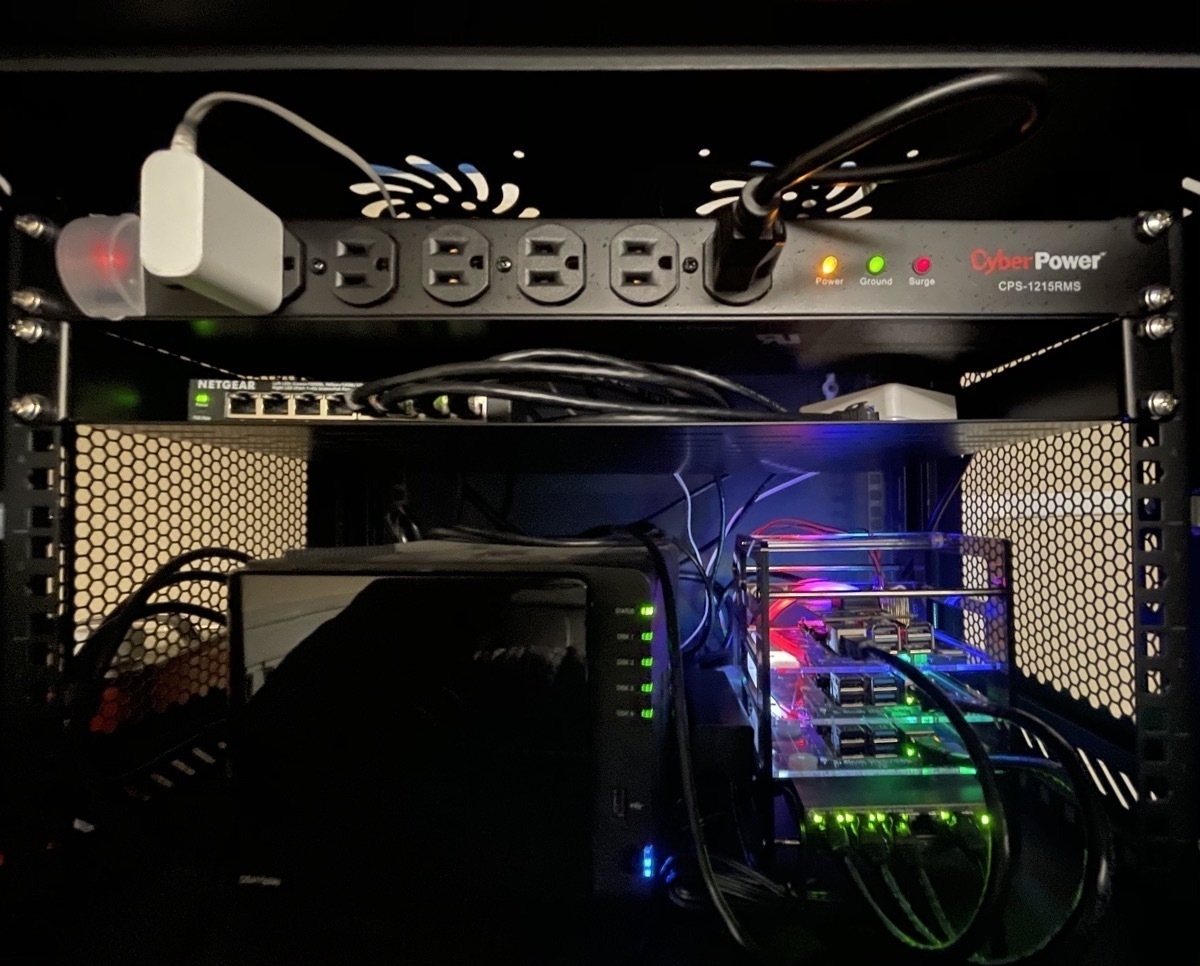
    In my last post about my home lab, I mentioned I’d post again about the hardware. The majority of my lab is comprised of 3 Raspberries Pi with PoE Hats, a TP-Link 5-port Gigabit PoE switch, all in a GeekPi Cluster Case. Thanks to the PoE hats, I only need to power the switch and the switch powers the three nodes. I have an extended pass-through 40-pin header on the topmost Pi (the 3B+, currently) which allows the goofy “RGB” fan to be powered, which actually made the temps on the cluster much more consistent.

    Cluster v2 Cluster In the Cabinet

    The topmost Pi is a 3B+, and the bottom two nodes are Raspberry Pi 4s (4 GB models). They’re super competent little nodes, and I’m really pleased with the performance I get from them.

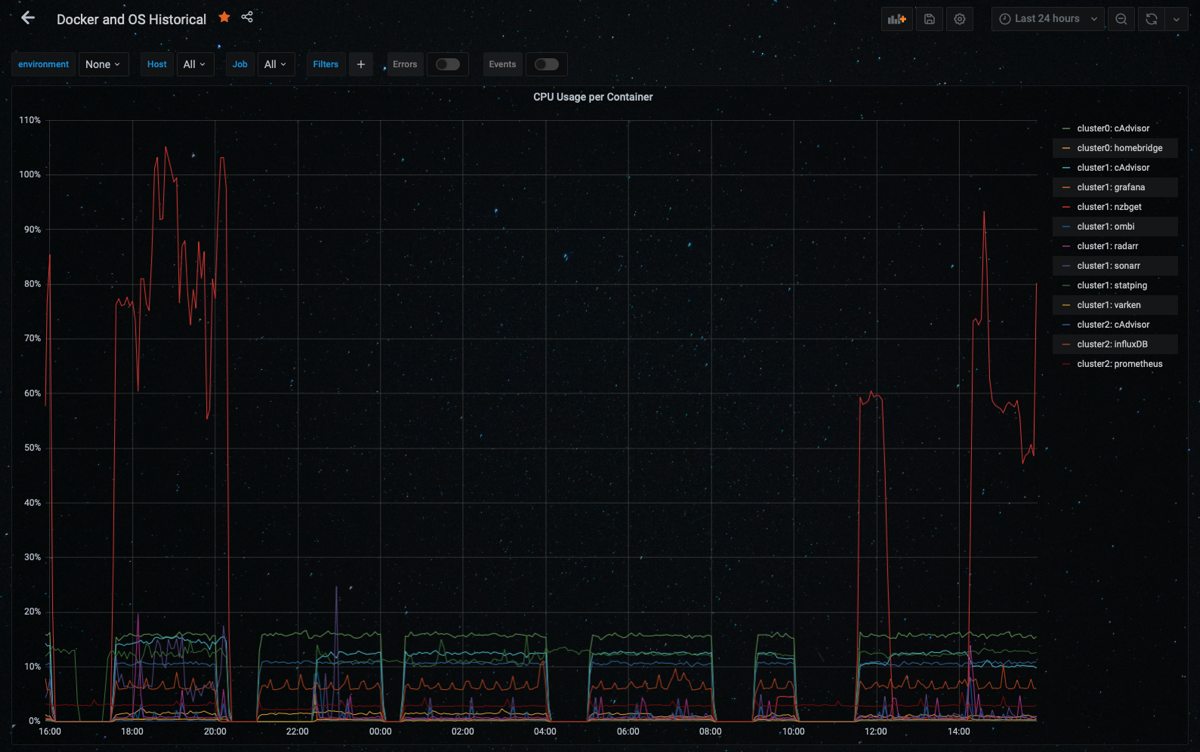
    Here’s a graph of 24-hours of the containers' CPU utilization across all nodes. You can see the only thing that’s making any of the Pis sweat is NZBGet, as I imagine the process of unpacking files is a bit CPU intensive.

    Cluster 24 hour CPU

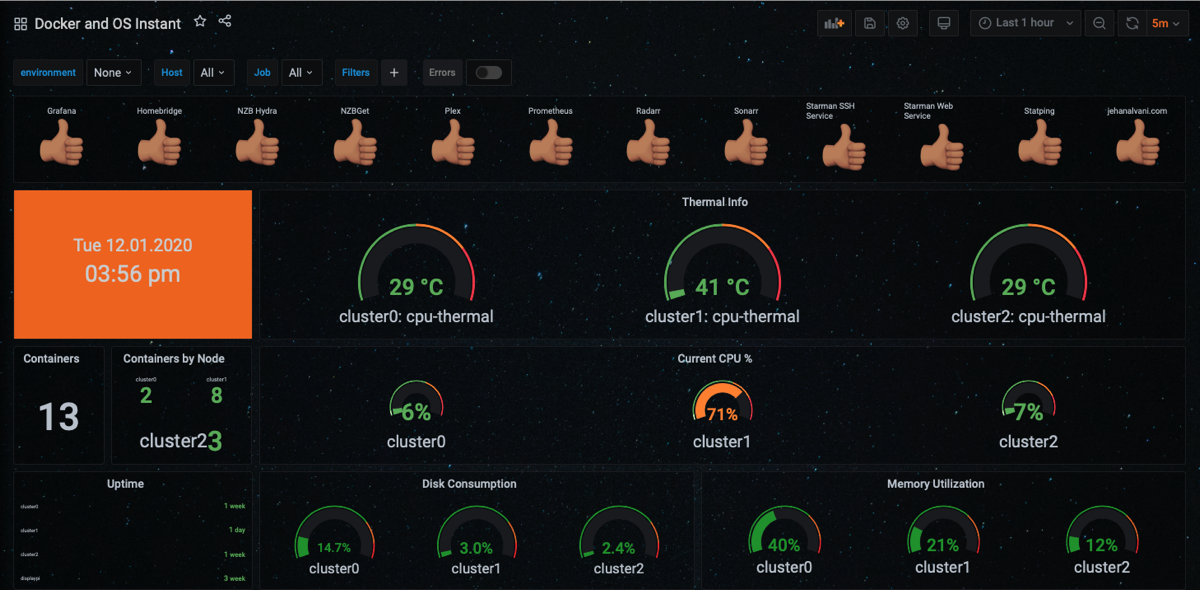
    Here’s my “instant” dashboard, which shows point-in-time health of the cluster. I’ll dig into this more at some point in the future.

    Cluster instant DB

    The Plex container is running on my 2018 Mac mini, which I’m not currently monitoring in Grafana. That’s a to-do.

    1 December 2020
  • The Death/Rebirth scene in Princess Mononoke is almost too beautiful for words. I’ve seen it so many times and it never loses its impact.

    30 November 2020
  • Fustercluck - Reworked my Raspberry Pi Cluster

    I’ve spent the past couple months' forced down-time1 reworking my Raspberry Pi cluster that forms a big portion of my home lab. I set out with the goal of better understanding Prometheus, Grafana, and node-exporter to monitor the hardware. I also needed the Grafana and Prometheus data to be persistent if I moved the container among the nodes. And I needed to deploy and make adjustemnts via Ansible for consistency and versioning. I’ve put the roles and playbooks on GitHub.

    This wasn’t too hard to achieve; I did the same thing that I’d done with my Plex libraries: created appropriate volumes and exposed them via NFS from my Synology. Synology generally makes this pretty easy, although the lack of detailed controls did occasionally give me a headache that was a challenge to resolve.

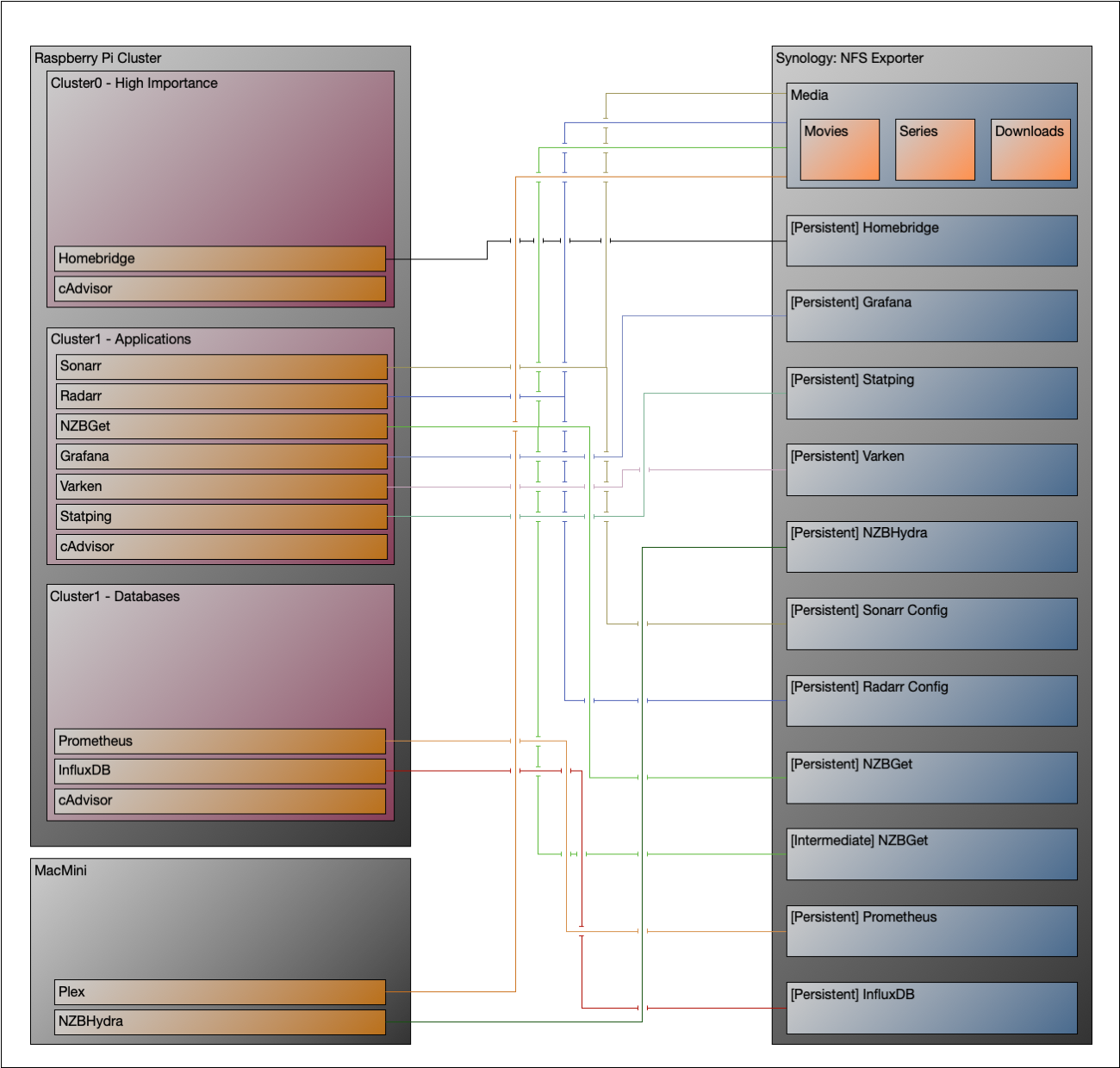
    Here’s a diagram of the NFS Mounts per-container.

    NFS Mount Diagram

    The biggest change from my previous configuration was that previously, I had NFS Exports for Downloads/Movies/Series. Sonarr helpfully provided the following explainer in their Docker section.

    Volumes and Paths

    There are two common problems with Docker volumes: Paths that differ between the Sonarr and download client container and paths that prevent fast moves and hard links.

    The first is a problem because the download client will report a download’s path as /torrents/My.Series.S01E01/, but in the Sonarr container that might be at /downloads/My.Series.S01E01/. The second is a performance issue and causes problems for seeding torrents. Both problems can be solved with well planned, consistent paths.

    Most Docker images suggest paths like /tv and /downloads. This causes slow moves and doesn’t allow hard links because they are considered two different file systems inside the container. Some also recommend paths for the download client container that are different from the Sonarr container, like /torrents.

    The best solution is to use a single, common volume inside the containers, such as /data. Your TV shows would be in /data/TV, torrents in /data/downloads/torrents and/or usenet downloads in /data/downloads/usenet.

    As a result, I created /media, which is defined as a named Docker volume, and mounted by the Plex container (on the MacMini), Sonarr, Radarr, and NZBGet2.

    I’ll post to-come with a couple cool Dashboards I’ve built the actual hardware I’m using for the cluster.


    1. Forced because of COVID-19, and also because I had some foot surgery in early September, and I’ve been much less mobile since then. Fortunately, I’m healing up well, and I’ll be back to “normal” after a few more months of Physical Therapy. ↩︎

    2. NZBGet’s files are actually in /media/nzb_downloads, but I left it as /media/downloads for the sake of clarity in the post. ↩︎

    27 November 2020
  • Getting Apple Emoji on the Raspberry Pi

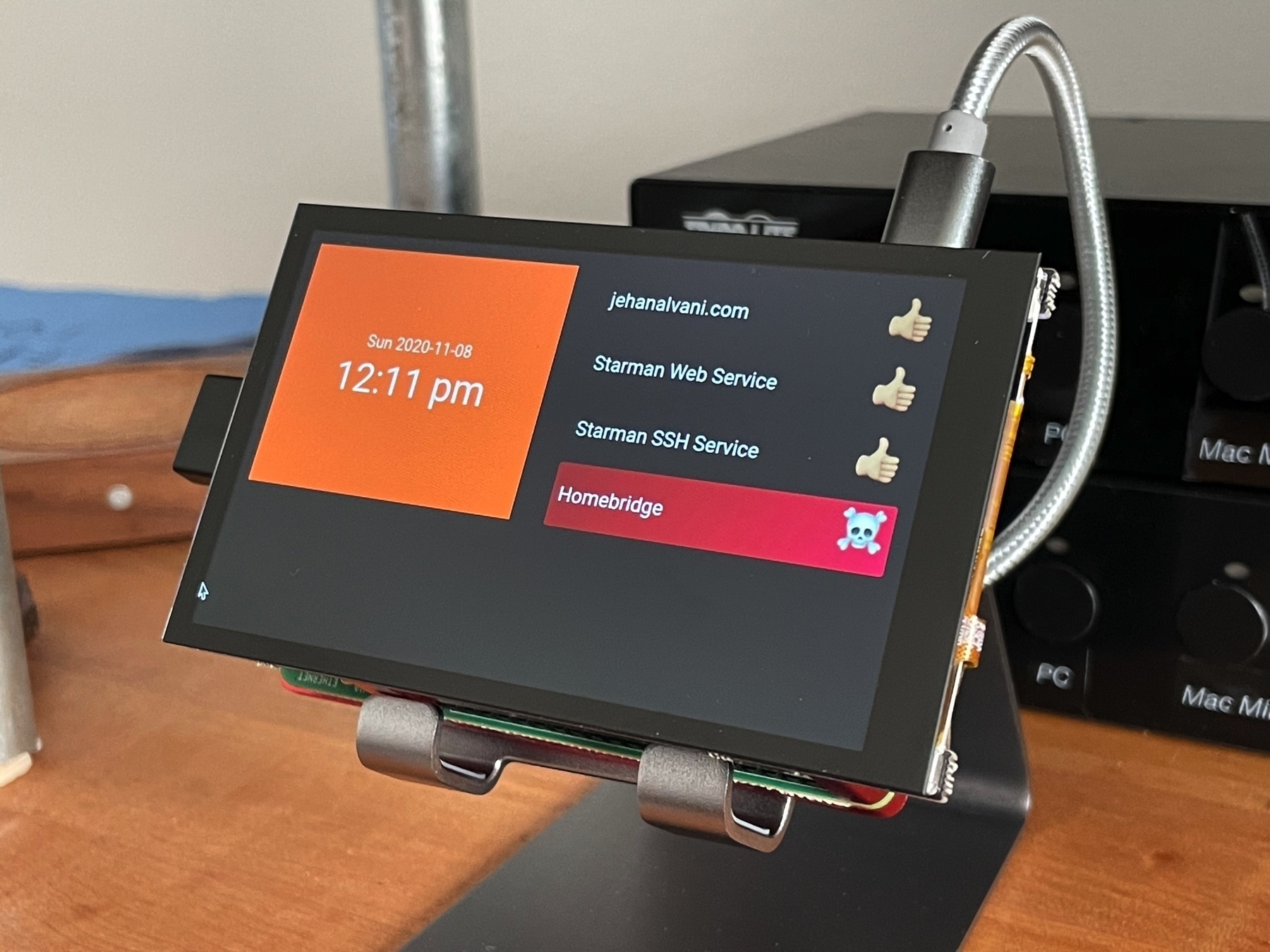
    I talked about getting the HyperPixel 4.0 to work in my last post, but I also wanted an excuse to show it off. I’m building a Grafana-based statusboard for the services I run on my lab, and I wanted some character. AFAIK, Raspbian doesn’t include Emoji fonts, but you can add some with Google’s noto-emoji.

    I wanted Apple emoji, so I zipped the .ttc and, copied it to my Pi, and it extracted into /usr/shared/fonts/. This would be easy to automate since Apple regularly adds characters with updates.

    8 November 2020
  • Pimoroni HyperPixel 4.0 Touch Workaround

    I’m using the gorgeous Pimoroni Hyperpixel 4.0 on a Raspberry Pi 4 for a small project. The display is crazy beautiful, and comes in a touch and non-touch version.

    I ran into issues getting touch working, and opened an issue. After a little poking and a helpful commenter pointing me to related issues, I found a workaround

    For posterity, I followed the directions above (running Pimoroni’s install script, choosing option 2 for Rectangular with Experimental Pi 4 Touch Fix, then edited /boot/config.txt as follows. Modified lines commented as such.

    # Enable DRM VC4 V3D driver on top of the dispmanx display stack
    #dtoverlay=vc4-fkms-v3d # Modified
    max_framebuffers=2
    
    [all]
    #dtoverlay=vc4-fkms-v3d
    
    dtoverlay=hyperpixel4
    gpio=0-25=a2
    enable_dpi_lcd=1
    dpi_group=2
    dpi_mode=87
    dpi_output_format=0x7f216
    dpi_timings=480 0 10 16 59 800 0 15 113 15 0 0 0 60 0 32000000 6
    display_rotate=1 # Modified
    

    Very pleased with this, though I’ve heard it won’t work with low-level access (ie. RetroPie setups). YMMV.

    8 November 2020
  • Providing Data Persisence on Prometheus Containers with NFS on Synology

    Made some progress on one of my distraction projects over the past couple days. I’d been working on creating an Ansible role to deploy a Prometheus container with persistent data backed by NFS on my rPi cluster. Getting the NFS mount to work with Prometheus was a challenge. Relevant stanzas from the role’s main.yml:

    
    	  - name: "Creates named docker volume for prometheus persistent data" 
    		docker_volume:
    			volume_name: prometheus_persist
    			state: present
    			driver_options: 
    				type: nfs
    				o: "addr={{ nfs_server }},rw"
    				device: ":{{ prometheus_nfs_path }}"
    			
    			
    	  - name: "Deploy prometheus container"
    		docker_container:
    			name: prometheus
    			hostname: prometheus
    			image: prom/prometheus
    			restart_policy: always
    			state: started
    			ports: 9090:9090
    			volumes:
    			  - "{{ prometheus_config_path }}:/etc/prometheus"
    			mounts:
    			  - source: prometheus_persist
    				target: /prometheus
    				read_only: no
    				type: volume        
    			comparisons:        
    				env: strict


    However I was getting permission denied on /prometheus when deploying the container. A redditor pointed me in the direction of the solution. Since NFS is provided by my Synology, I can’t set no_root_squash, but by mapping all users to admin in the share’s squashing settings, I could allow the container to set permissions appropriately. Progress!

    3 November 2020
  • I wish that iOS let me define a Home Screen other than my first as a “default” (the one that Springboard will switch to when I swipe up twice), allowing me another swipe-left Home Screen.

    23 October 2020
  • Bellinger expressed deep admiration for that home run.

    18 October 2020
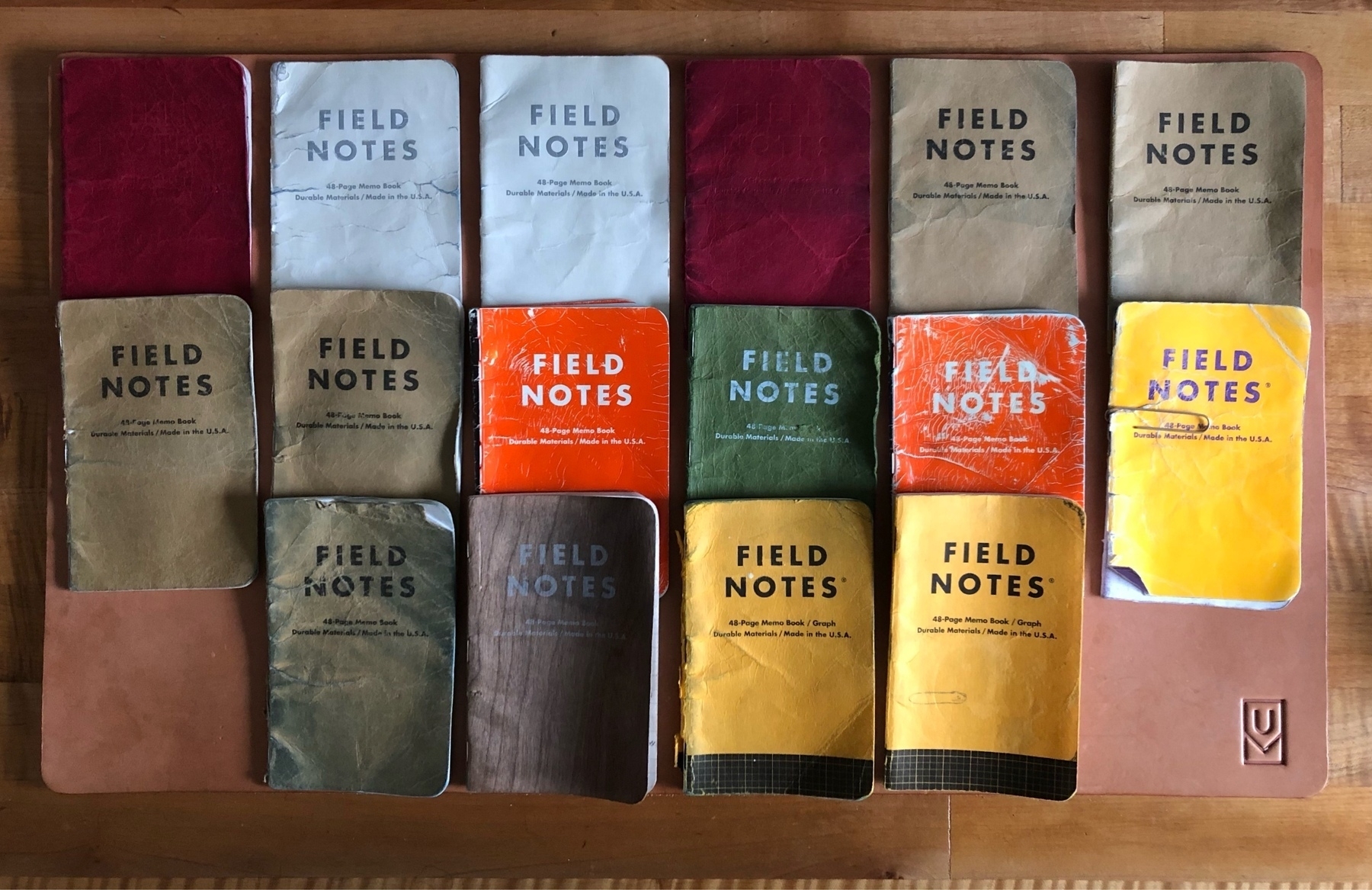
  • Dawned on me today that I’ve been carrying Field Notes almost every day since October of 2011. In that time, I’ve only lost one and it came back to me. Here they are.

    7 October 2020
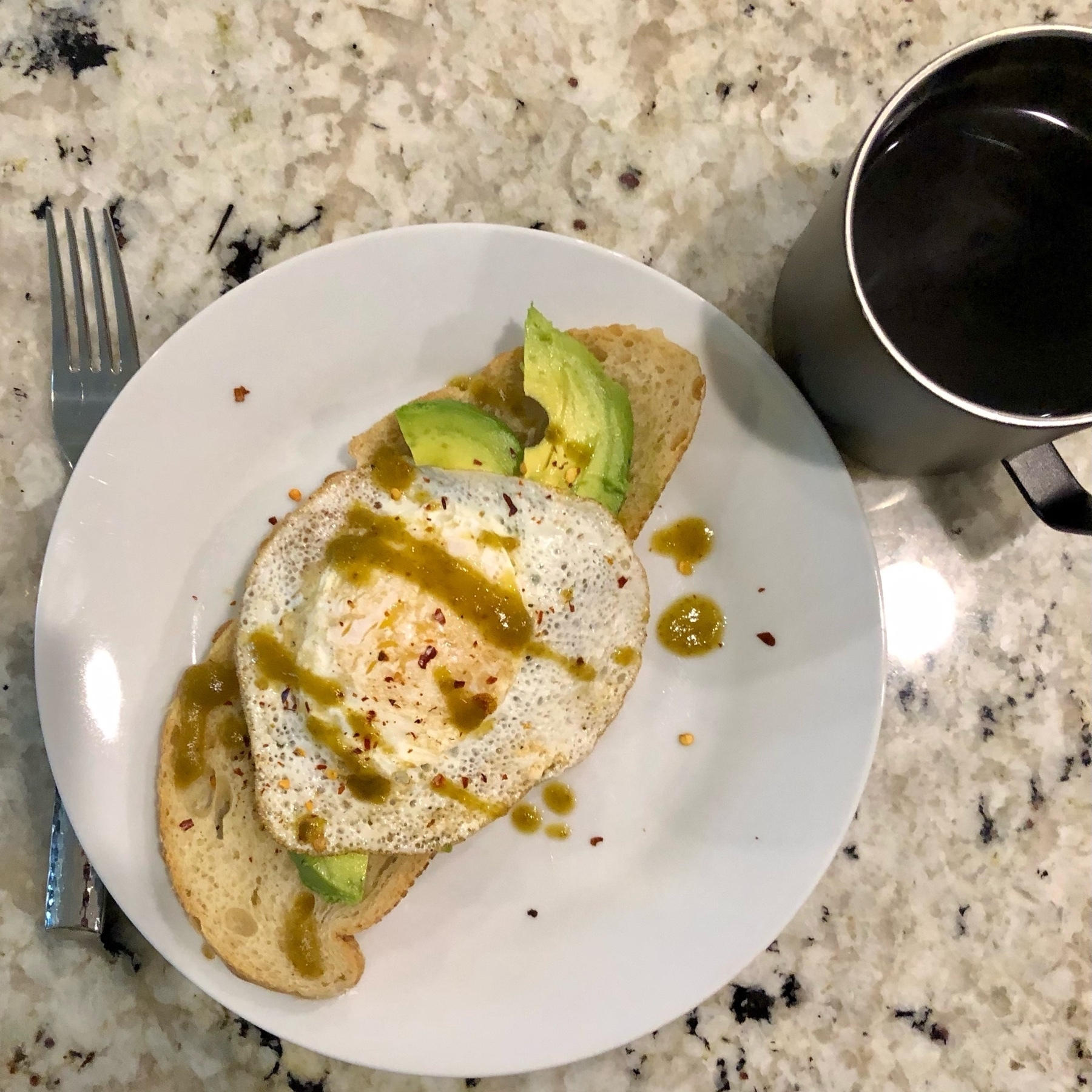
  • any millennial born after 1981 can’t cook… all they know is avocado toast, climate change, shrinking middle class, unaffordable healthcare, be in debt, eat hot chip & die

    4 October 2020
  • Oh hell guess I’ll have to sell the house

    4 October 2020
  • Still pouring one out for Transmit on iOS.

    1 October 2020
  • Amazon's Ring drone is creepy as hell

    Amazon announced the Ring drone, and it’s creepy as hell. Not just because the concept of an always-on video feed of the inside of your house is creepy (it is). Not just because the video created by the always-on camera is sent to remote servers and who-knows-what is done with it (also creepy). But also because of the super creepy history of the company who built the camera and is marketing it to you.

    Ring has privacy issues. This has been well-documented. In a 2019 lette to lawmakers, Ring copped to firing four employees for accessing customer video data outside of their normal responsiblities. The fact that it’s possible for this to happen shows a lack of concern for customer privacy.

    Also in 2019, the Intercept reported that Ring gave their Ukraine-based R&D team an S3 bucket with recordings of every Ring video ever. The report claims that there was no policy or system to restrict how the R&D team used the video.

    How is it a good idea to give this company access to a remotely-controllable remotely-accessible video device inside my home?

    All of this from the same company that will helpfully deliver packages inside your locked home.

    And from the same company that has “partnered” with Police departments all over the country to provide access to the privately-owned cameras customers put on or in their houses, as well as a convenient map of all the cameras installed.

    Some folks have the poor stance “Oh if you’re not doing anything wrong, what do you have to hide?” Which is irrelevant; it’s not Amazon’s business what goes on inside my home despite their repeated attempts to make it their business.

    In addition to the lax security and customer privacy, this is literally inviting the police state into your house. It’s dystopian.

    It’s awfully disappointing that so little of the coverage of the announcement of this device touched on Amazon and Ring’s anti-customer and anti-privacy history. There’s no reason people should trust them with this level of access.

    Update (October 28th): Removed a whole bunch of erronious references to Nest, a Google company. Got my wires crossed.

    25 September 2020
  • Aubrey is walking around reciting mantras:

    “No one can change my name”
    “No one can do what I can do”
    “Everyone isn’t the same as me”
    “No one can change my name”

    24 September 2020
  • An attractive and multi-functional workspace

    I’ve been fortunate enough to have a dedicated workspace in each of the houses and apartments I’ve lived in since 2006, when I bought my first house. Some have been better than others, and the current setup isn’t done1, but it’s pretty good and I’m happy with where it is, now. Since my last role was about 80% remote, I knew how important a good home setup was prior to the pandemic forcing many of us to think more about how to be productive from home.

    Each of the things are chosen because they help me do more, or are pleasing while I’m at my desk. I won’t say that the desk is always this clean, but it’s never too far from it. It’s important that I want to be at my desk, and to achieve that, I need stuff that is both pleasing and functional.
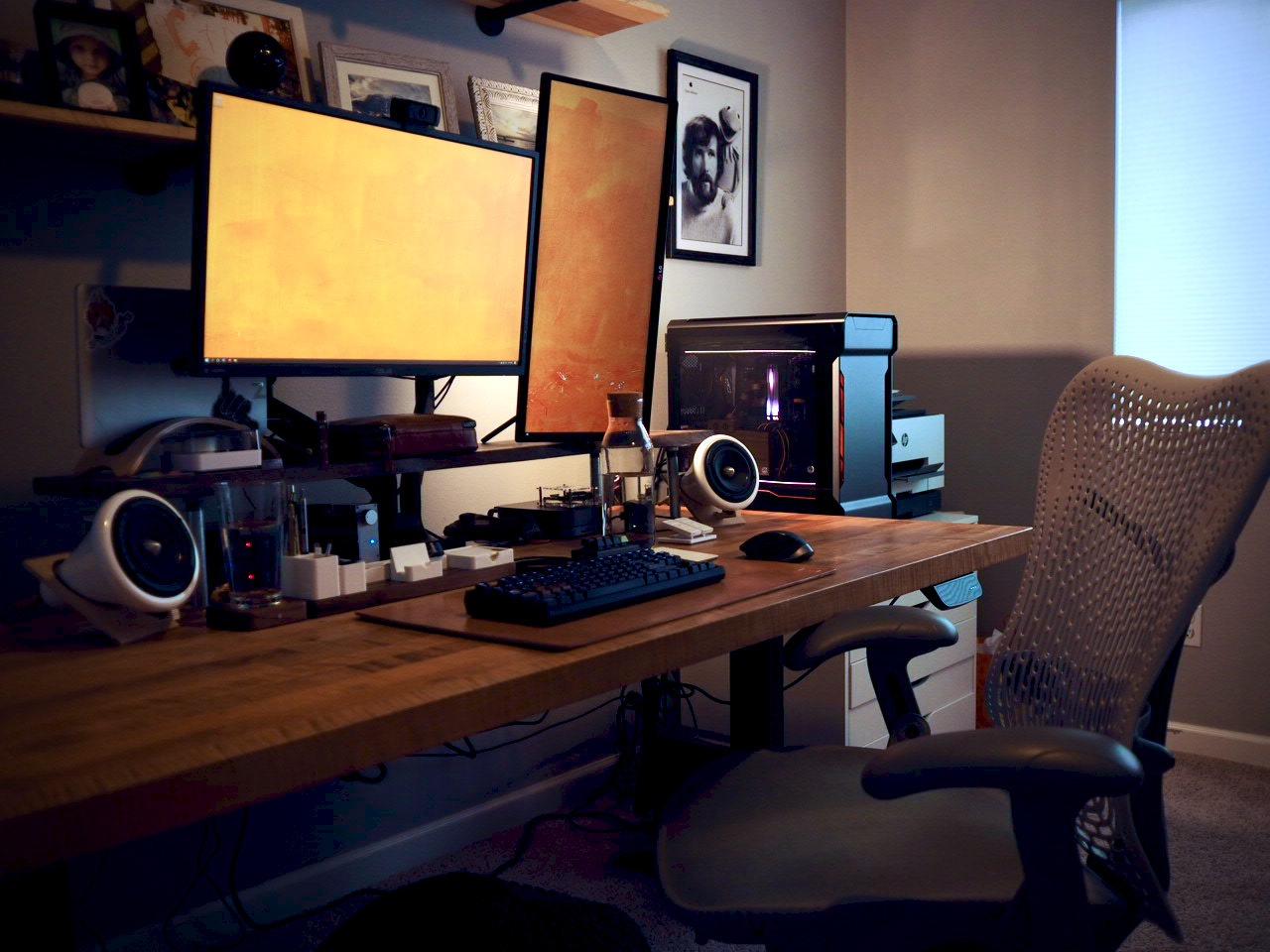
    The space is where I do almost all of my nerding both for work and fun, and when the weather is too poor to get outside it needs to convert into a cycling training space.
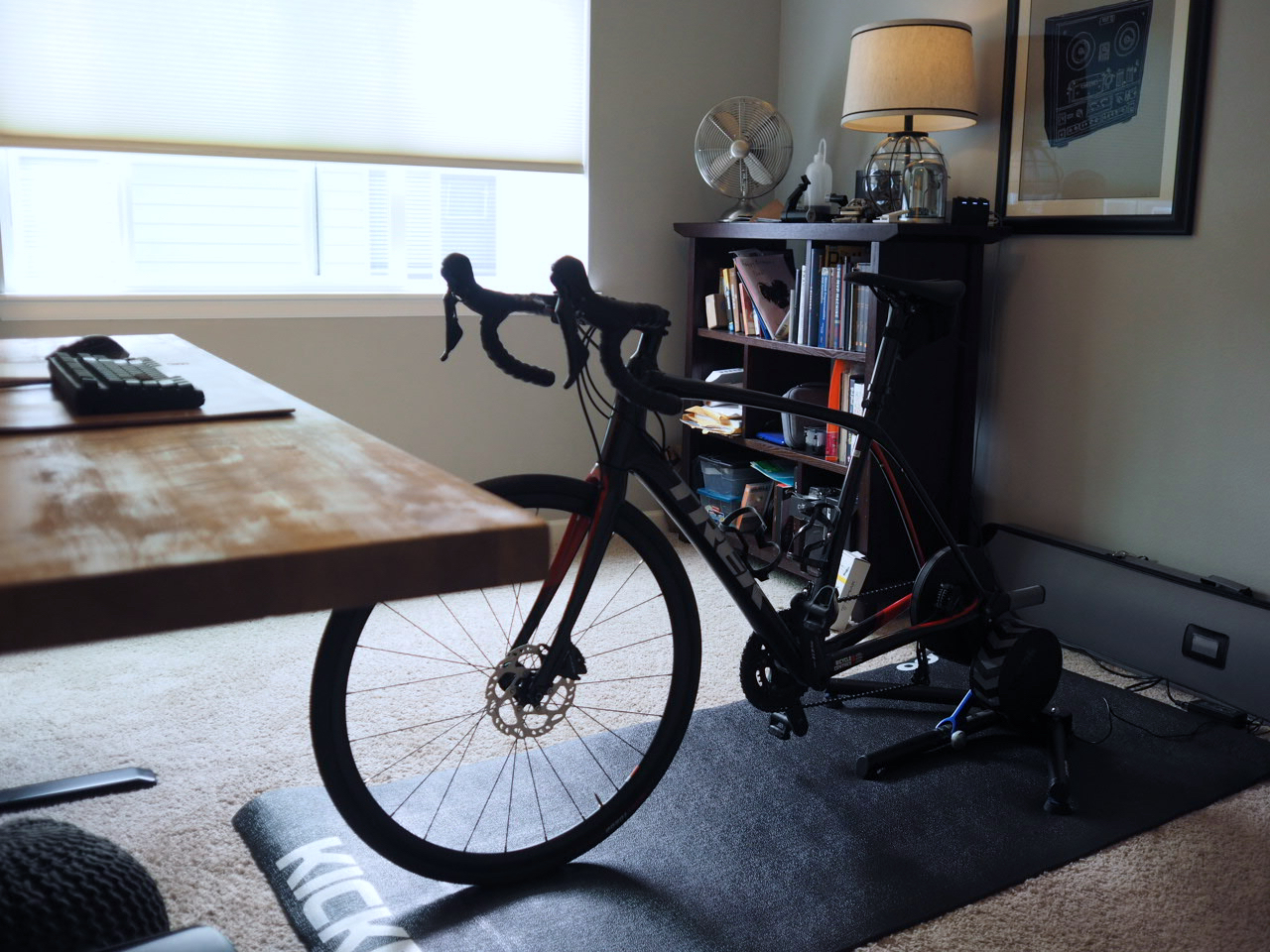
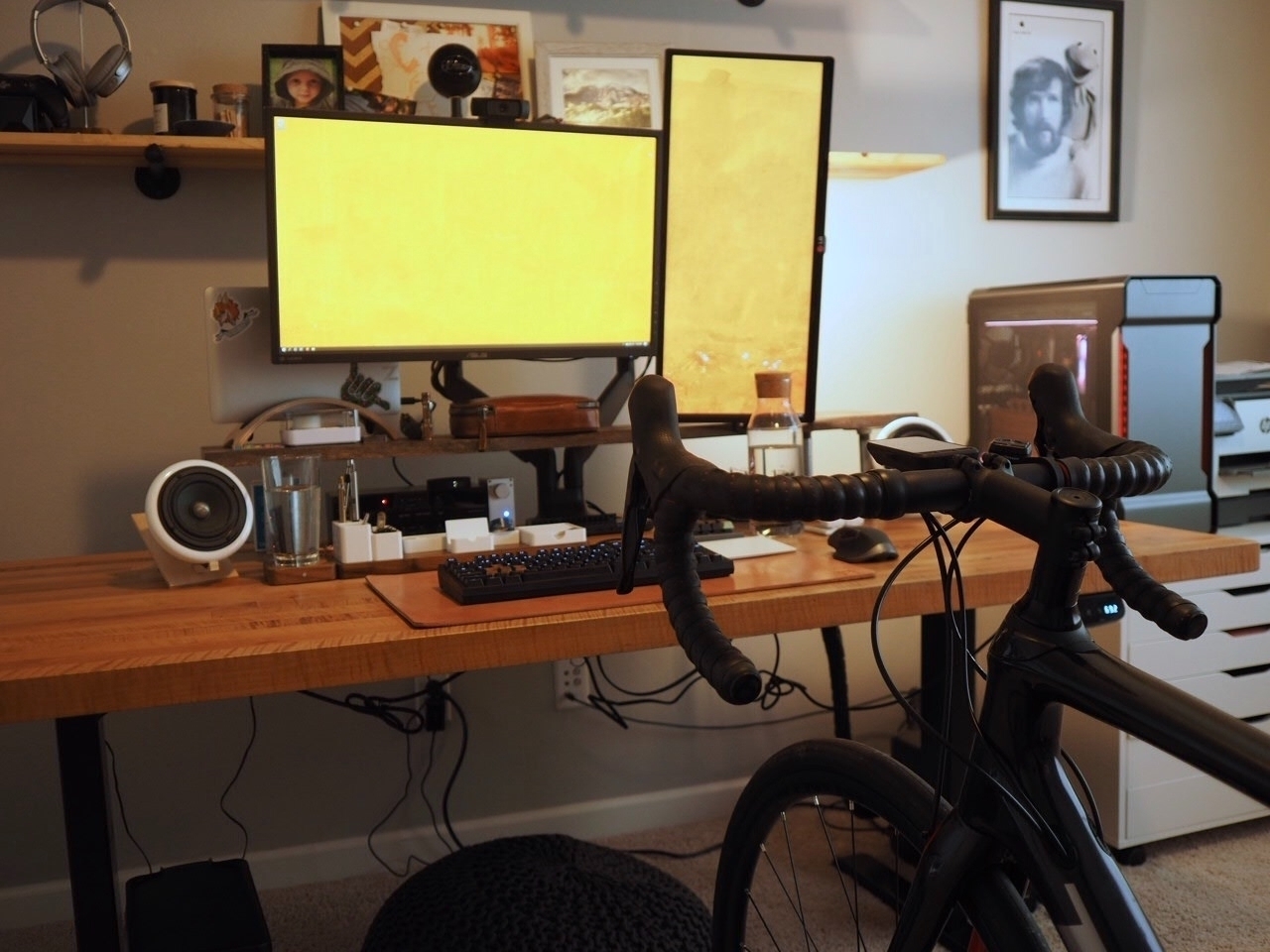
    I have my 2019 Trek Domane SL5 Disc on a Wahoo Kickr from 2017. It connects to my PC via a USB attached ANT+ dongle, and the PC runs Zwift. I’ve done exactly 2 rides with this setup, but I wanted to get it going before I went down for a foot surgery, so I’d have it ready to go as soon as I’m clear to train again - about a month from now.
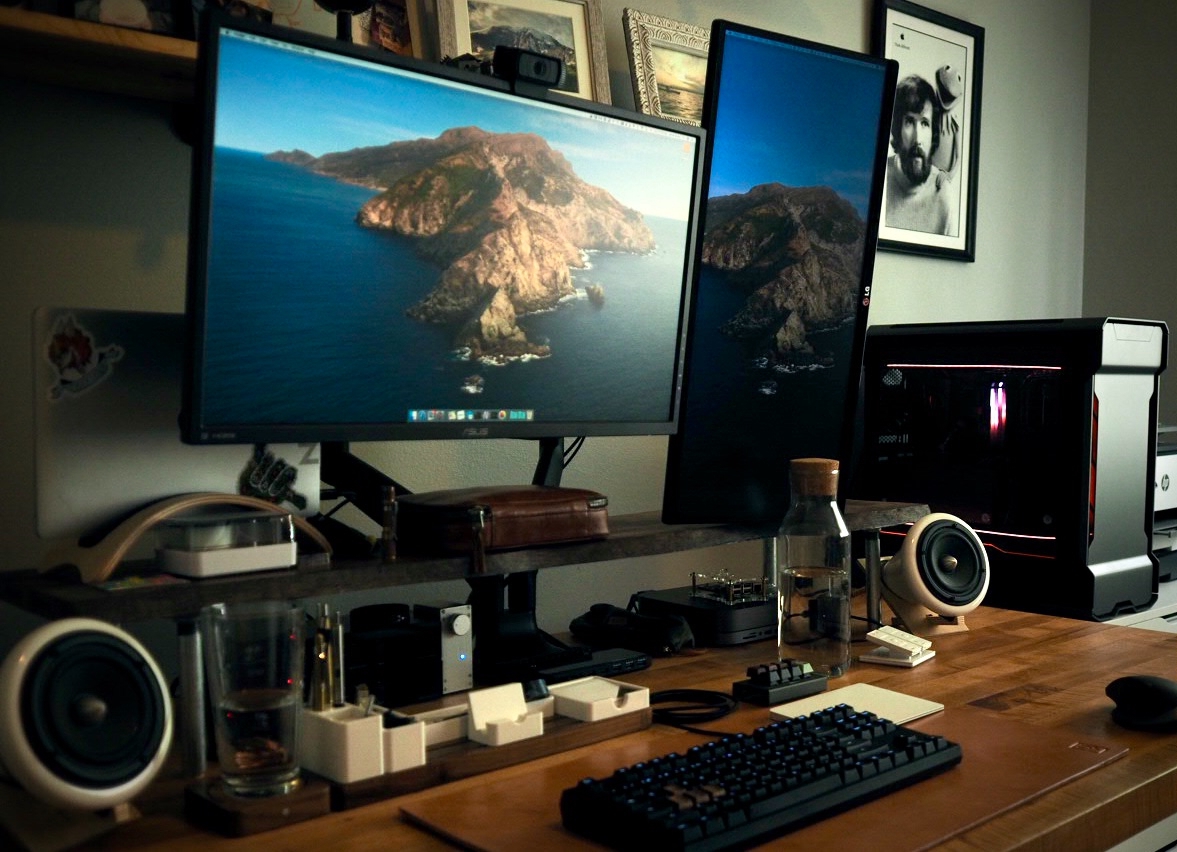
    I keep three computers at my desk permanently.

    • My work computer - currently a 2017 13" MacBook Pro
    • My personal 2018 MacMini, which hosts a few Docker containers and where I do a lot of personal nerdery.
    • My PC, seen on the right, which is mostly for gaming and Zwift.
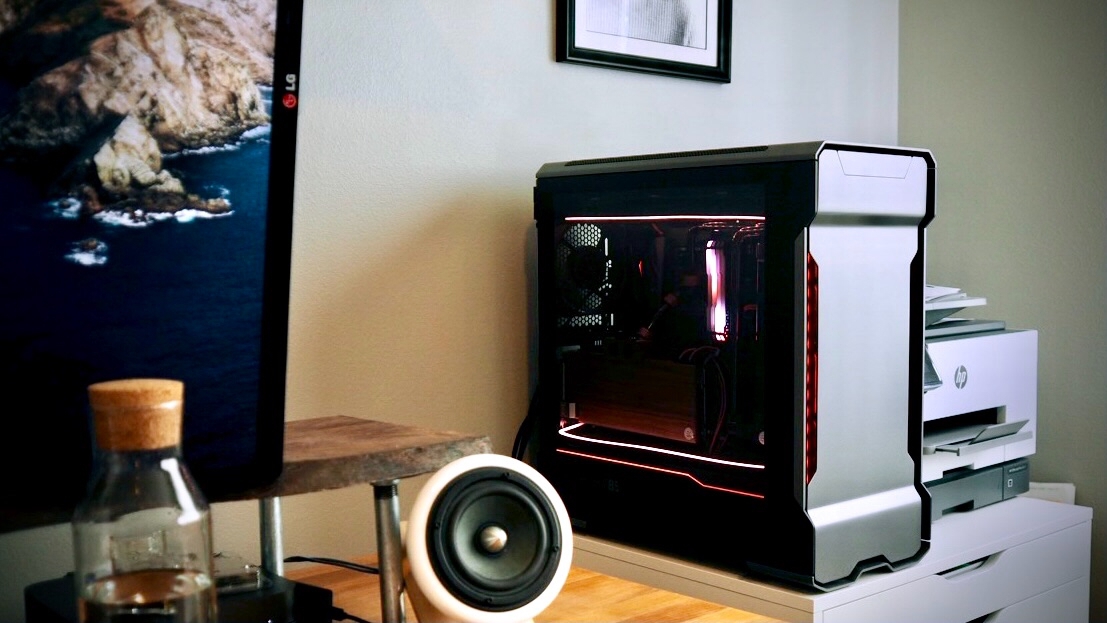
    The speakers are Joey Roth, and the desktop organization is Ugmonk’s Gather System.

    I use two Tripp-Lite B004-DPIUA4-K KVMs to allow me flexibility for moving my displays between the computers. I covered the far-too-bright indicators with black Fastcap stickers, so they don’t distract me while I work.

    I’m currently using a WASD Code 87-key with Cherry MX Browns and O-Rings. The WASD keys are bespoke Mechanicallee’s Walnut walnut keycaps. I parted with my WhiteFox True Fox some time ago, and I had a Kira with Hako True switches, that I loved typing on but I was never comfortable with the layout. Sold it on, as well. Nice thing about mechanical keyboards is that they retain their value.
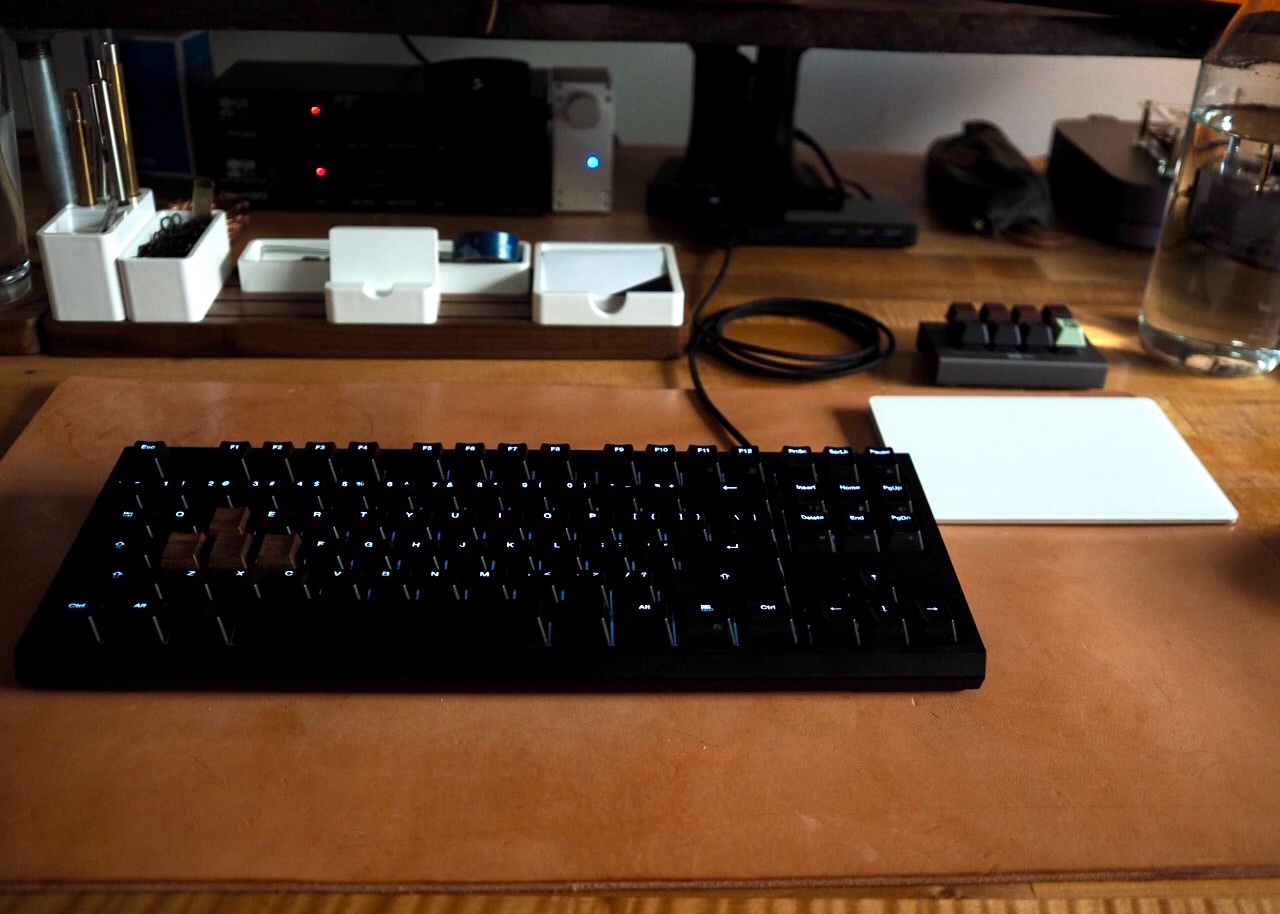
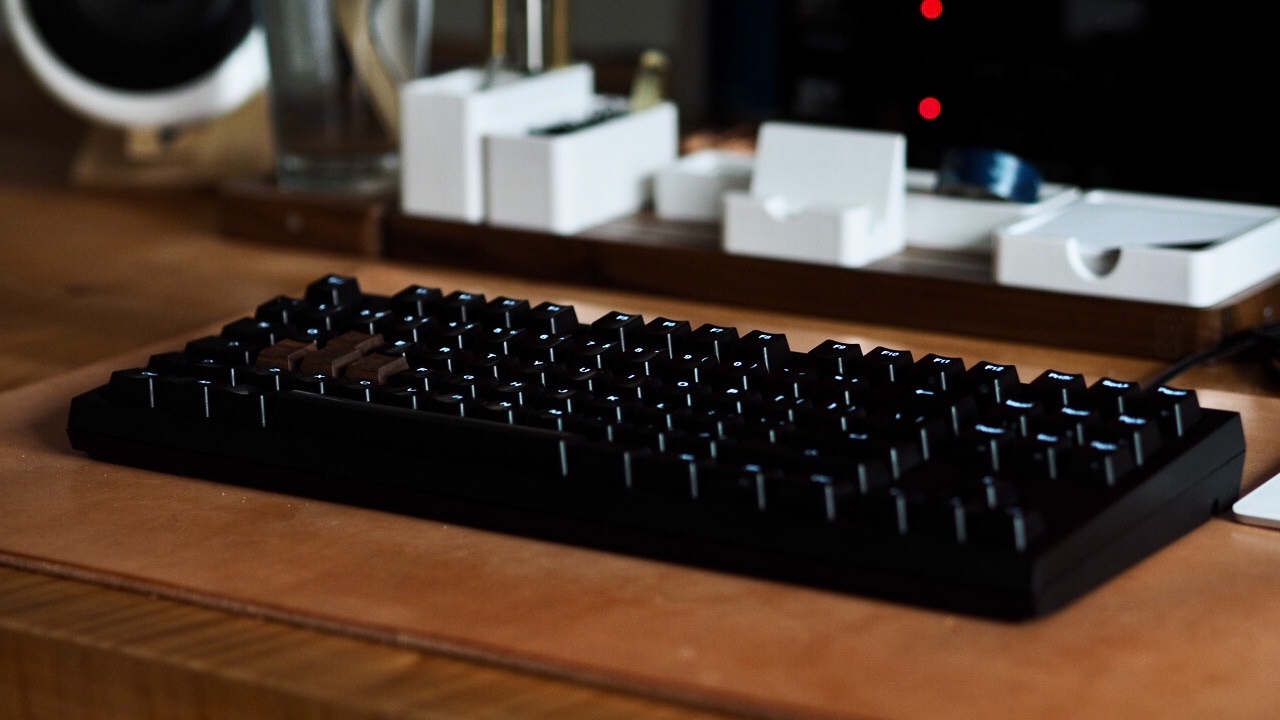
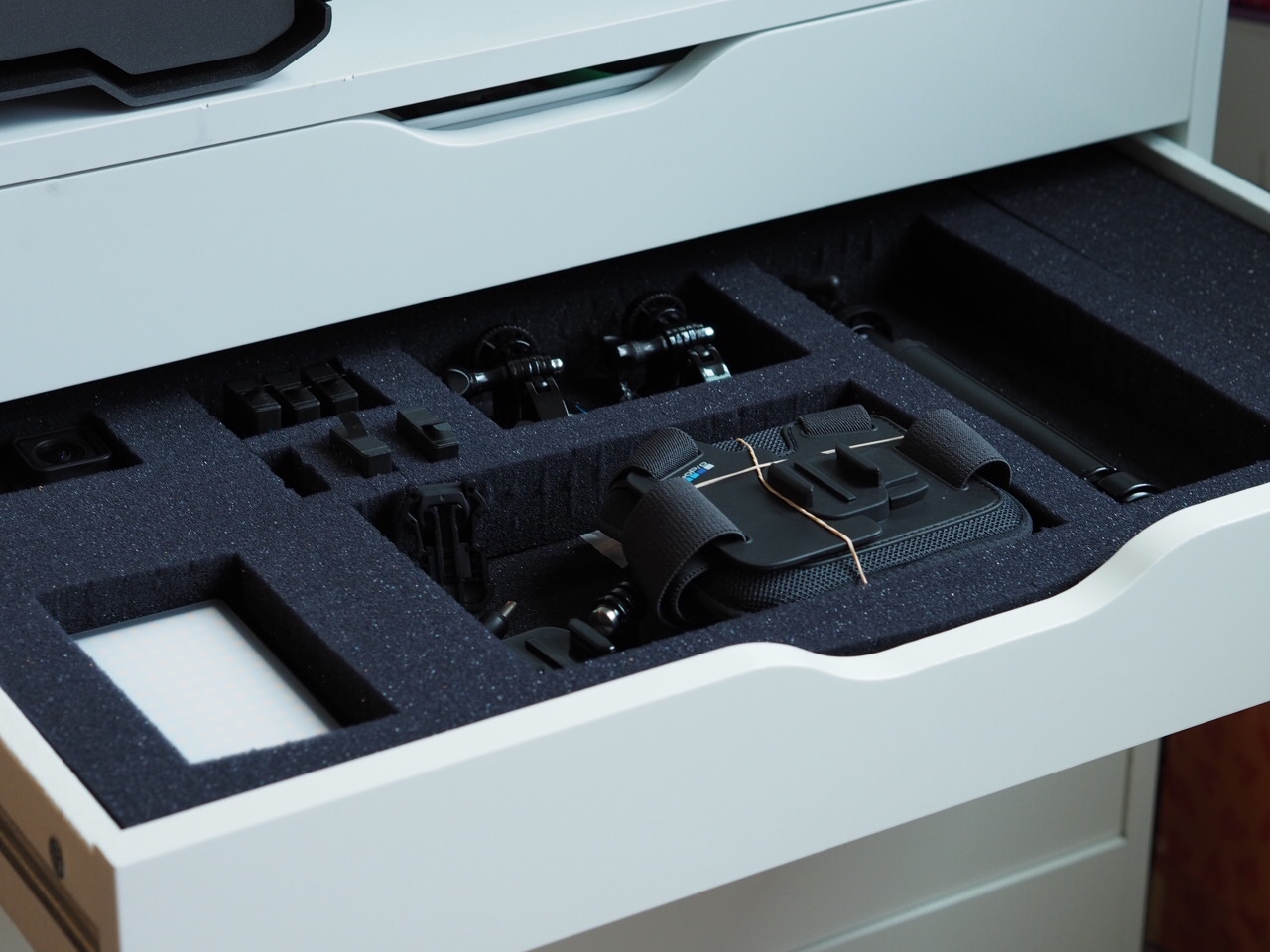
    Finally, in my Ikea drawer/computer stand and storage drawers, I put in a couple drawers of pick-and-pluck foam to better organize my gadgets. This one is for photos and video, and another is full of Raspberry Pis and components, with anti-static foam. It’s the old Alton Brown-ism “Organization will set you free.”
    1. I have some plans for improved storage and more bookshelves, both of which are desperately needed. ↩︎

    23 September 2020
  • BBC Video: Jogging While Black - the calculations you have to make

    Privilege is being able to exercise without being afraid of getting killed by the police.

    21 September 2020
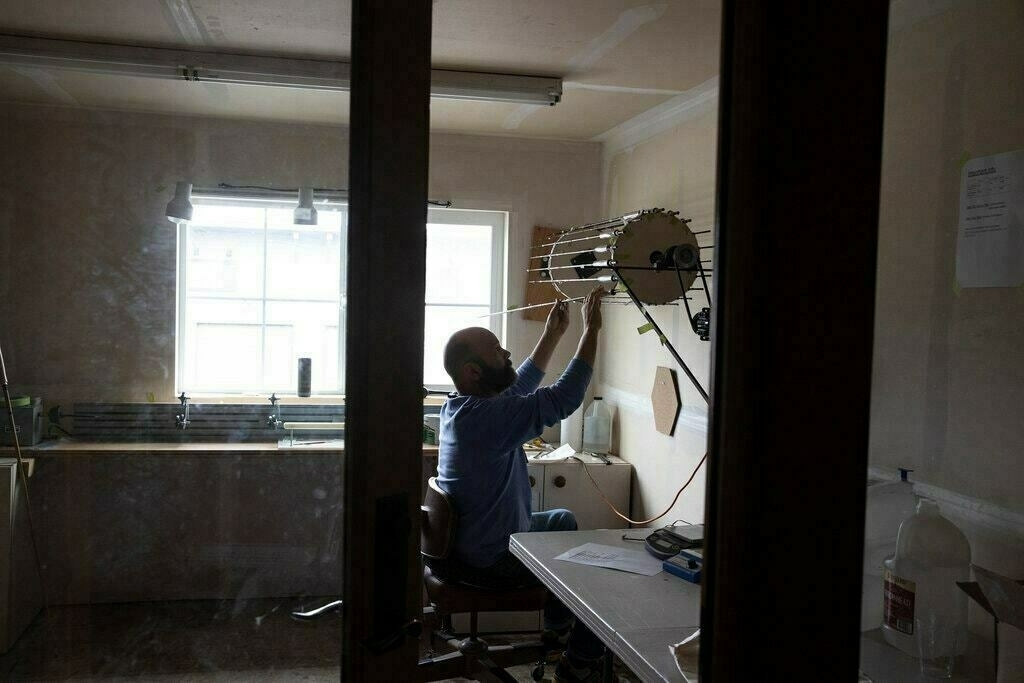
  • An NYT Photo Essay on Montana-based Tom Morgan Rodsmiths, makers of custom fly fishing rods. Gorgeous.

    21 September 2020
  • If you’re wondering why your Safari toolbar icons are suddenly tinted with a color, it’s apprently an undocumented change that indicates the extension has access to the current tab. Hope a UI for this is coming.

    20 September 2020
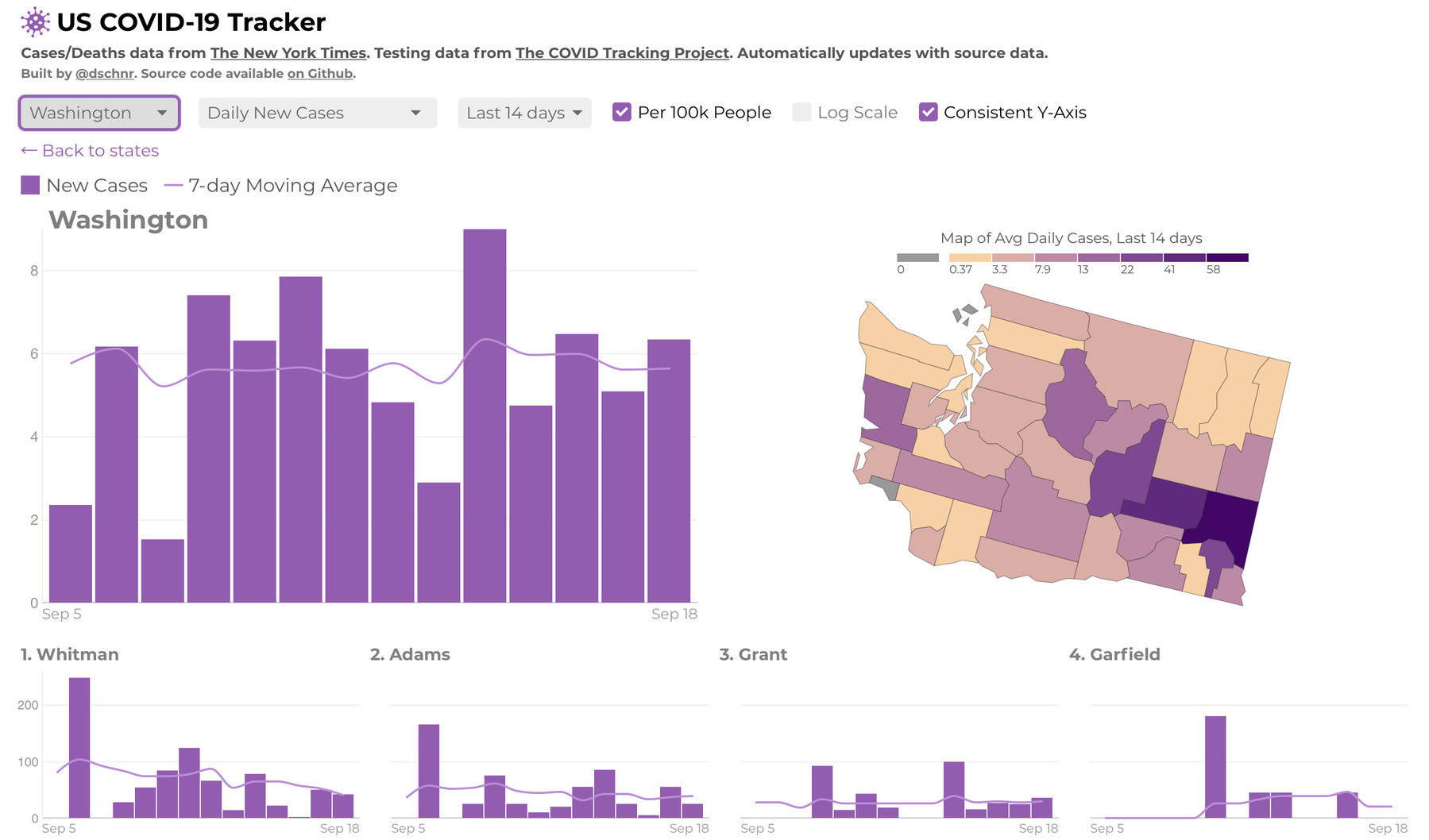
  • David Schnurr’s US COVID-19 dashboard is by far the best I’ve seen yet in terms of easily-grokable relevant data at a glance.

    19 September 2020
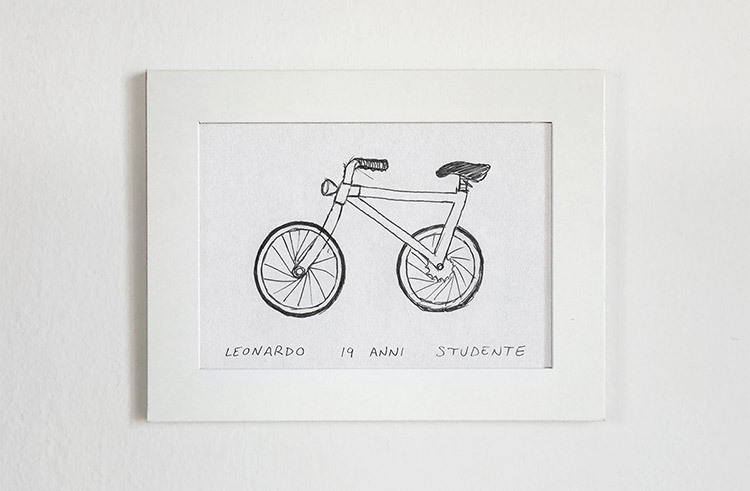
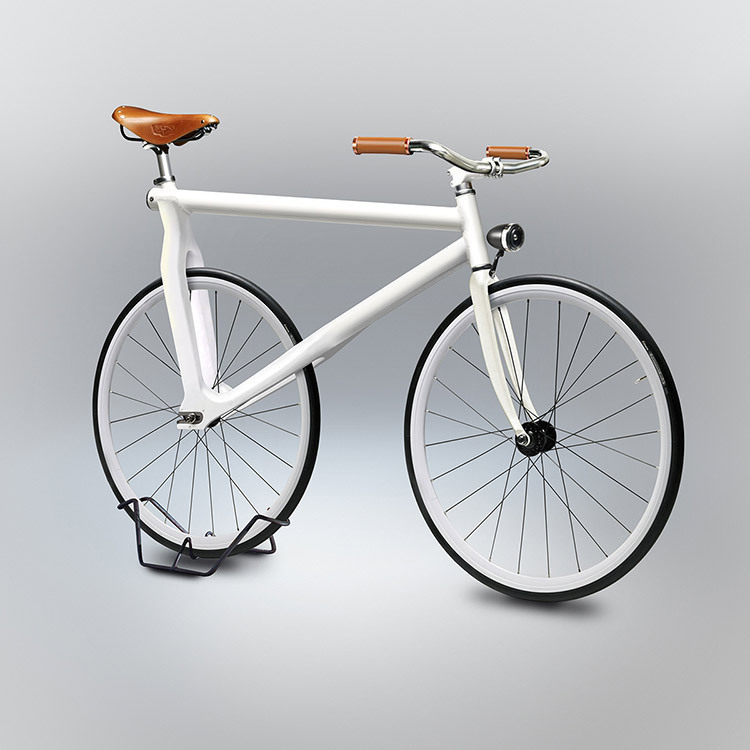
  • Designer Gianluca Gimini asked a bunch of people to draw bikes from memory, then he rendered some of the drawings. What a fun project!

    Draw a bike from memory and check out his Veolcipedia.

    19 September 2020
  • That feeling of opening windows in a stagnant house. It’s like renewed life.

    19 September 2020
  • It’s dumb that the iPad didn’t get App Library.

    18 September 2020
  • Flula Borg on Baseball:

    17 September 2020
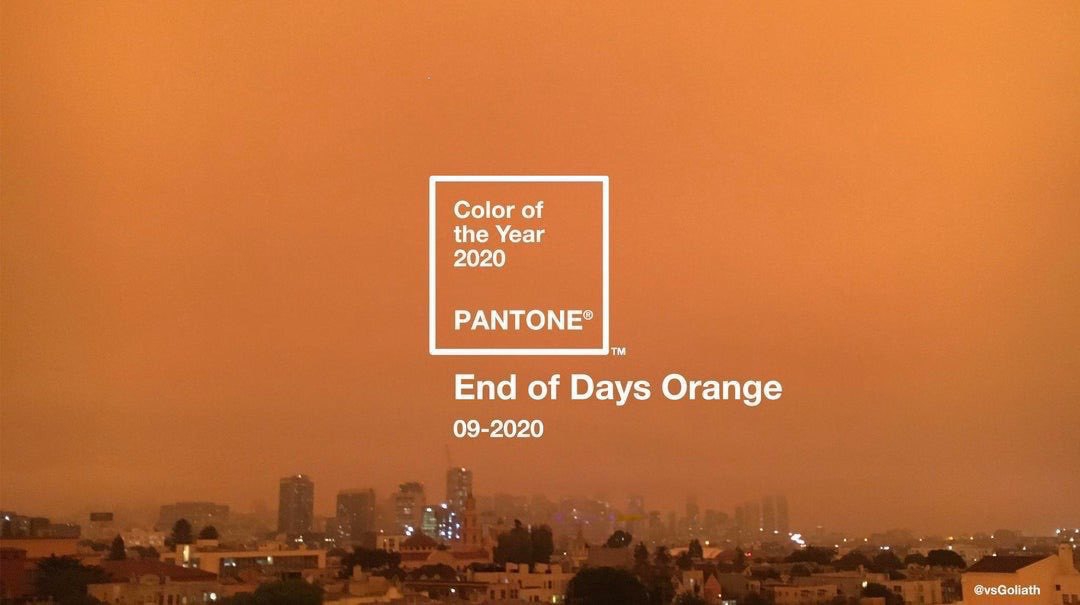
  • Credit to /u/vsgoliath on Reddit.

    10 September 2020
  • Taylor Trammell - Baseball's Not Black Enough

    Taylor Trammell - Baseball’s Not Black Enough

    From a baseball perspective, he’s totally right. Baseball needs more Black players, and it has some very systemic reasons that the number of Black players has decreased over time (the cost of private coaching, showcase circuits, etc are chief among them). The point he’s making is about Baseball, and he’s absolutely right. High level Baseball is currently inaccessible to a lot of people who have the skill to play, and it could be robbing the sport of good talent.

    But there’s a bigger topic that Trammell alludes to. Trammell was No. 69 on [Baseball Prospectus' top 101 prospects for 2020](https://www.baseballprospectus.com/pr ospects/article/56649/2020-prospects-the-top-101-wander-franco-jo-adell-gavin-lux/) at the start of the season. He was all but guaranteed to be a Major Leaguer. If he’s worried about advocating for what shouldn’t be a controversial view - that sworn protectors shouldn’t harm with impunity the people they’re sworn to protect - then how do you think people in generic office jobs or in blue collar jobs feel? If the League and NFL Ownership still hasn’t reached out to try to repair the bridge to Colin Kaepernik that they burned down, how do people who aren’t in such a rarified and lucrative position feel that the “tough conversation” this country keeps having isn’t actually changing anything.

    9 September 2020

Follow @jalvani on Micro.blog.